
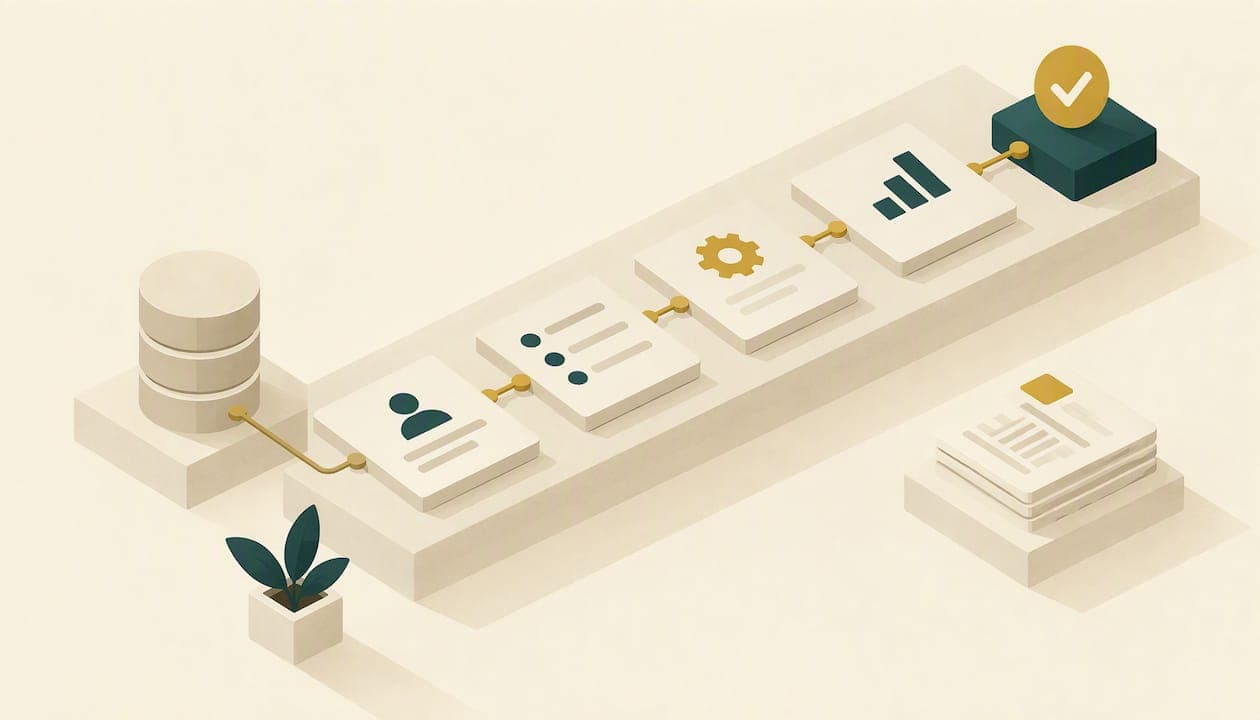
An advisor CRM workflow is a repeatable series of steps, each with an owner and a timeline, that your CRM creates and tracks for you whenever something happens: a prospect books a call, a client signs, a review comes due. Build the workflow once and every future case runs the same way. The best place to start is new-client onboarding, then prospect follow-up, then the recurring service calendar. This guide shows how to map those workflows, what to automate, what to leave to a person, and how to keep the records your regulator expects.
TL;DR
- A workflow breaks one job into ordered steps with owners and due dates. Tasks are the individual actions inside each step.
- Map first, then configure. Write down the trigger, the people, the systems, the handoffs and what "done" means before you touch the software.
- Start with onboarding, then prospect follow-up, then quarterly reviews and relationship milestones. Automate standard work and route personal needs to a human.
- Electronic client communications fall under SEC books-and-records rules, so archive what your automations send.
- Measure each workflow against a baseline: how often it runs, who does it and how long it takes.
Table of Contents
- What a CRM workflow is, and what it is not
- Map before you build
- Six workflows to build first
- Automate the standard work, protect the personal work
- Recordkeeping and compliance in automated workflows
- Our perspective: workflows are a growth tool, not just an admin tool
- Where we can help
- Measure whether the workflows are working
- Common mistakes to avoid
- FAQ
- Sources
What a CRM workflow is, and what it is not
A CRM workflow turns a business process into a sequence of sub-tasks with clear timelines and assigned owners. Kitces describes it as the way advisors standardize procedures so recurring work is executed consistently.
The vocabulary matters when you configure anything. In a Kitces discussion of using the CRM as the hub of the practice, a step is an ordered phase with before, during and after timing, while tasks are the individual actions inside a step. Use separate steps wherever sequence matters. A meeting agenda cannot be prepared after the meeting, and an account cannot be opened before the paperwork is signed.
Three things a workflow is not:
- A template. An email template saves typing. A workflow decides when the email goes, who sends it and what happens if the client does not reply.
- A checklist in someone's head. If the process lives with one person, it stops when that person is out. Centralizing the workflow in the CRM means another team member can pick up the task and follow up on time.
- A substitute for judgment. Workflows carry the routine so that you and your team have time for the conversations that need you.
Map before you build
Most failed CRM projects fail at the mapping stage, not the software stage. Advisors buy or reconfigure a system, recreate their current mess inside it and wonder why nothing improved.
Start with the client journey
A useful frame comes from Intuit's guidance on planning an advisory workflow: five segments, namely invoicing, onboarding, evaluation and analysis, guidance, and action. Invoicing starts the engagement and, for most engagements, repeats at regular monthly intervals. Onboarding follows, and evaluation, guidance and action repeat for as long as the relationship lasts. Within each segment, list what your firm does, what the client does and what you do together. The details will differ by firm and fee model, but the segments hold up across practices.

Document each process in nine parts
For each workflow, an RIA workflow-mapping guide lists nine components to define: the trigger, the people involved, the systems touched, the data required, the actions performed, the handoffs, the approvals, the exceptions and the outcome that defines completion. That list is a good intake form for every workflow you plan. Pay the most attention to handoffs. Isaac Tessier, CFA, makes the point in the same guide that most delays happen when work passes between people or systems, so mapping those points precisely is what keeps work moving.
A short example for a new-client onboarding map:
| Component | Example |
|---|---|
| Trigger | Signed advisory agreement |
| People | Lead advisor, client service associate, operations |
| Systems | CRM, e-signature, planning software, custodian portal |
| Data required | Contact details, goals, account numbers, risk questionnaire |
| Handoff | Associate to operations once the paperwork is complete |
| Approval | Advisor reviews the data summary before the first meeting |
| Exception | Client has not returned documents after a set number of days |
| Outcome | Accounts funded and first planning meeting held |
Build a service calendar, then automate it
Kitces offers a client service system framework that works well here. Define your client segments and the services each receives by tier, frequency and format. Lay those services out as an annual service calendar. Then document each service module as an automated CRM workflow connected to your planning and portfolio-reporting software. Clients in a higher tier might get quarterly meetings, while others get two a year, and the calendar makes that difference visible to everyone on the team.
Six workflows to build first
Not every process deserves automation on day one. Pick the ones that repeat most often and cause the most dropped balls. Advisor Perspectives suggests starting with new-client onboarding, designed around meetings, calls, data gathering and follow-up emails, and then building repeatable workflows for quarterly meetings, prospect-call thank-you emails and birthday cards. Here is a practical ordering built on that advice.
1. New-client onboarding
This is where the first impression is made and where the most handoffs occur. The workflow should create the welcome email, the document requests, the data-gathering task, the internal account-opening steps and the first-meeting preparation, each with an owner and a due date. The Financial Planning Association says a good US advisory intake process combines personal interaction with streamlined technology, such as integrated CRM tools, digital forms and automated workflows that capture goals and priorities early. Our own client onboarding checklist for financial advisors lists the items to include.
A scale reference: in a Kitces interview, Becky Walsh described a six-month onboarding process with 52 steps, assigned across automation, operations and professionals. You do not need 52 steps. The lesson is that each step has an explicit owner, matched to that person's capability.
2. Prospect follow-up
When someone attends a seminar, downloads a guide or books a discovery call, the CRM should log the source, create a follow-up task and send a thank-you within a day. Add a second touch a few days later and a task for a human call if the prospect opens the email or visits your booking page. Keep prospect stages visible in a pipeline so nobody has to remember who is waiting on what. For the capture side of this workflow, see our lead capture automation playbook.
3. Discovery-to-proposal handoff
The space between a good first meeting and a signed agreement is where long buying cycles stall. Build a workflow that triggers after the discovery meeting: a recap email, a task to prepare the proposal, a reminder to send it and a follow-up task if there is no response after a set interval. Add an exception path for prospects who go quiet, such as moving them into a lower-frequency educational email sequence rather than letting them drop out of sight.
4. Quarterly and annual review cycles
Review workflows should start well before the meeting. A typical sequence: pull performance reports, send a pre-meeting questionnaire, prepare the agenda, hold the meeting, send a recap with action items and create the follow-up tasks. Tie it to the service calendar so each client tier receives the right cadence. Automation here can cover review cycles, task preparation and client communication, as well as relationship milestones.
5. Required notices and periodic outreach
Some communications are obligations, not courtesies. Put recurring notices, annual reminders and proactive outreach on the calendar so they go out whether or not anyone is thinking about them. The risk here is rarely bad intent. It is forgetfulness, which a scheduled task with an audit trail handles better than memory.
6. Relationship milestones
Birthdays, account anniversaries, a child's graduation noted in the CRM, a retirement date approaching. Create recurring tasks that prompt a personal note from the advisor. This is automation for the reminder, not for the message. A card with a handwritten line still reads as personal because it is.
Want to sequence these in a pilot? Our guide to CRM workflows for advisors walks through six automations to pilot over 90 days, and the companion piece on advisor automation workflows with compliance checks shows where to place review points.
Automate the standard work, protect the personal work
Stephanie Bogan's framework in the Kitces article above separates standardized "factory work" from higher-value "focus work." Standard work is your strongest automation candidate. Special and personal needs should route to staff or to the advisor depending on complexity. In practice, that means:
- Automate: reminders, document requests, confirmations, data pre-population, internal task creation, recurring meeting prep.
- Automate with review: client-facing emails that reference personal circumstances, anything that sounds like advice.
- Keep human: conversations about a death, a divorce, a market scare or a major decision.
Stephanie Dannebaum observes that a messy CRM often comes from over-touching data through manual entry. Set up recurring tasks and templates once, and let the system handle the routine so nothing slips.
Connect the CRM to the rest of the stack
A workflow that lives only in the CRM still leaves you retyping data elsewhere. Most advisory firms run financial-planning, portfolio-accounting and CRM software, according to Advisor Perspectives. The value comes when those tools exchange data. Integrations with e-signature and planning tools can pre-fill forms and automate document collection, which shortens onboarding end to end. A marketing automation checklist can also help you sequence the connections between CRM, communication and document tools without skipping a step.
Plan for failure, too. Vincent Barbera, quoted by Kitces, recommends mapping technology onto client-experience and back-office processes and documenting a fallback for each critical tool, because workflows become vulnerable when a platform changes or disappears.
Recordkeeping and compliance in automated workflows
Automation increases the volume of client communication leaving your firm, and every message is potentially a record. Under the SEC's Advisers Act Rule 204-2, the Books and Records Rule, advisers must make and keep true, accurate and current records of written communications, including relevant electronic business communications, for at least five years. The same SEC staff document says firms should adopt policies and procedures designed to prevent Advisers Act violations and to secure records from unauthorized alteration or untimely destruction.
What that means when you set up workflows:
- Decide where each automated message is archived before you switch it on. If your email automation tool sends outside your archiving system, fix that first.
- Get compliance sign-off on templates, particularly anything touching performance, projections or testimonials. Your chief compliance officer, or your outside compliance consultant if you are a smaller firm, should approve the language once, so you are not approving it case by case.
- Log approvals inside the workflow. An approval step with a name and timestamp is evidence that your procedures ran.
- Check for data silos between CRM, planning software and custodian systems, so a client's data is not stored in three conflicting versions.
These are operational pointers, not legal advice. Your compliance officer or securities counsel should confirm how the rule applies to your firm's specific communications tools.
Our perspective: workflows are a growth tool, not just an admin tool
We work with independent advisors on marketing, and the pattern we see is consistent: the advisors who grow steadily are rarely the ones with the flashiest lead source. They are the ones who follow up on every lead the same way, every time. A seminar fills the room, but the CRM workflow decides whether those attendees become clients. When a prospect gets a thank-you the next morning, a relevant email in week one and a call from a person in week two, they notice.
So we build the marketing side and the CRM side as one system. Webinar registrants and seminar attendees land in the CRM with their source tagged. Automated email follow-ups start immediately. Tasks appear for the advisor only when a human touch will matter. Compliance-friendly content feeds those emails so nobody is writing from scratch, and everything stays consistent with the regulatory limits advisors work under.
Our advice is to pilot two workflows, not twenty. Prove them, measure them and then widen.
— Josh
Where we can help
If your lead generation and your follow-up live in separate places, our turnkey marketing system connects them: customized webinars, fully produced seminars, a compliance-friendly content library, email drip campaigns, social media, advisor websites and CRM and email automation, all built for independent advisors and RIAs. If you are unsure where to begin, our growth strategy conversation maps your current lead flow to the workflows above.
Measure whether the workflows are working
A workflow you never measure is a workflow you cannot improve. Before you automate, establish a baseline. Hubly's workflow guide suggests recording how often a workflow runs, who performs it and how long it takes, then measuring hours saved against that baseline after automation.
A simple scorecard for each workflow:
| Measure | What to track |
|---|---|
| Frequency | Times run per month |
| Owner | Who performs each step |
| Cycle time | Days from trigger to completion |
| Hours saved | Baseline minutes minus current minutes, multiplied by frequency |
| Exceptions | How often a step stalls or needs rework |
| Client signal | Response rates, meeting attendance, referral mentions |
Review the scorecard quarterly. Look hardest at the stalls, because Tessier's point about handoffs applies here: if the same step stalls repeatedly, the problem is usually a handoff, not effort. Change one thing at a time so you know what worked. The Kitces and Advisor Perspectives frameworks above both stress a single, clean database with consistent categorization, and that hygiene is what makes any measurement trustworthy.
Common mistakes to avoid
- Automating a broken process. If your onboarding is confusing on paper, it will be confusing at scale.
- Too many workflows too soon. Each one needs an owner who maintains it.
- No exception path. Clients do not follow scripts. Define what happens when they do not respond.
- Treating the CRM as a contact list. Without pipeline stages, tasks and household records, you have an address book.
- Skipping the archive check. Compliance gaps surface at exam time, not at launch.
FAQ
What technology do financial advisors use for CRM workflows?
Most advisory firms combine financial-planning, portfolio-accounting and CRM software, as Advisor Perspectives reports. The CRM is the hub that holds household records, tasks and pipeline stages, and the other tools connect to it so workflows can pull and push data.
Which advisor CRM workflow should I build first?
New-client onboarding. It has the most handoffs, the clearest start and finish, and the biggest effect on a client's first impression. Once it runs reliably, add prospect follow-up and quarterly review preparation.
Can I build my own CRM for free?
You can assemble spreadsheets and calendar reminders, but you will lack household records, audit trails and integrations with planning and e-signature tools. The bigger cost is that the process depends on whoever built it. Most firms are better off mapping workflows first and then choosing or configuring a CRM that fits them.
Do automated emails count as books and records?
Relevant written business communications, including electronic ones, fall under the SEC's Rule 204-2 and must be kept for at least five years. Confirm with your compliance officer that your email automation tool's messages are captured by your archive.
How long does it take to see results?
A focused pilot of one or two workflows can show measurable changes in cycle time within a quarter if you captured a baseline first. Without that baseline, you will have an impression but no evidence.
Sources
- How To Create Good Financial Advisor Workflows and Processes (Kitces)
- Streamlining Operations and Workflows With the CRM as the Hub (Kitces)
- How a Client Service System Personalizes Advice Efficiently (Kitces)
- Improve Efficiency By Turning Meetings Into Working Sessions (Kitces)
- Using Cutting-Edge Technology For A Better Client Experience (Kitces)
- The Five Core Competencies of an Efficient Practice (Advisor Perspectives)
- The Cost of Technology for Financial Planners (Advisor Perspectives)
- Path to Advisory: Planning Your Workflow (Intuit)
- Embedded Workflows (Schwab)
- RIA Workflow Mapping: A Practical Guide
- Prospect to Client (Financial Planning Association)
- SEC OCIE Risk Alert on Electronic Messaging
- Financial Advisor CRM Automation Guide
- Leveraging CRM Automation to Drive Growth
- From Frustration to Function
- 3 Steps To Fix Workflows for Financial Advisors
- Marketing Automation Checklist: Step-by-Step Guide for SMBs