
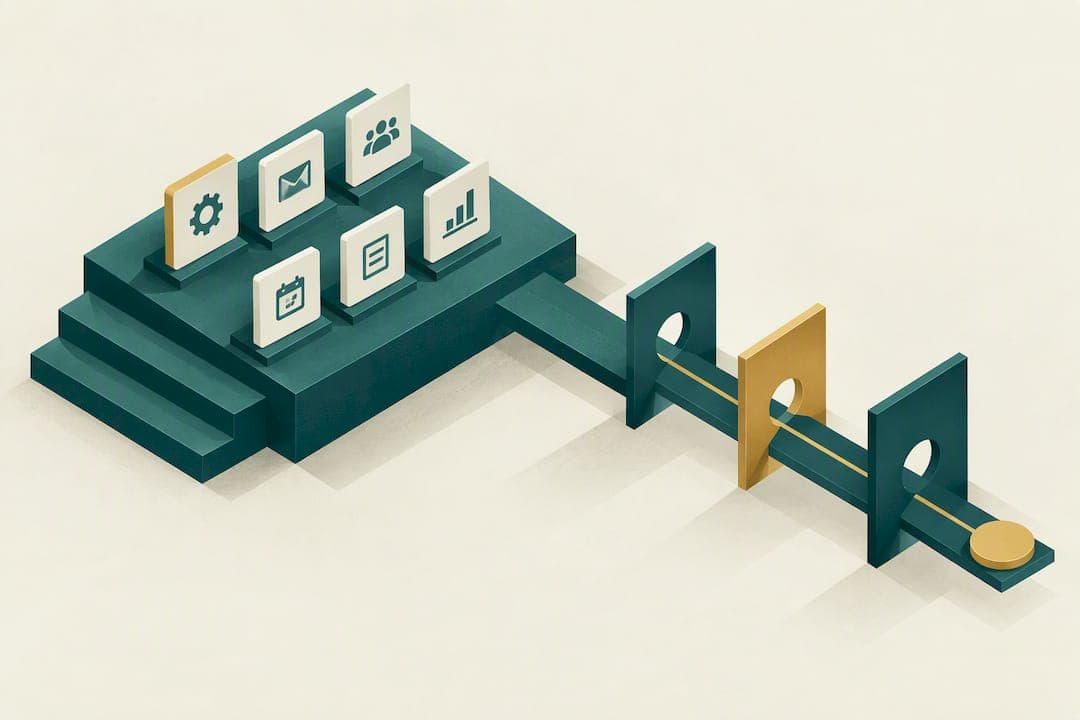
Build these six workflows first: client onboarding, meeting prep and reminders, post-meeting follow-up, annual reviews, prospect nurture, and event-based touches like account anniversaries. Before any of it goes live, clean up your household and contact data, then run a 25-household pilot alongside your current process. Most firms see their first working automations within a few weeks of starting.
TL;DR:
- Building a 25-household pilot and thoroughly cleaning contact data before full automation reduces the risk of errors and compliance issues later.
- Assigning dedicated workflow owners, not advisors, ensures long-term maintenance and reduces the likelihood of neglect or drift.
- CRM workflows must accurately identify household roles and be triggered by each client lifecycle stage to prevent miscommunication and oversight.
- Integration of scheduling, planning, and custodian feeds should be tested thoroughly, with AI adoption phased in cautiously under supervision.
- Starting with a limited scope, such as onboarding or meeting reminders, and expanding gradually helps firms implement effective automation without overwhelming staff.
Table of Contents
- What Are the Most Important CRM Workflows for Advisors?
- How Do Workflows Map to the Client Lifecycle and Household Model?
- Building a CRM Rollout: Pilot, Data Cleanup, and Governance
- What Compliance Records Should CRM Workflows Capture?
- Which Tools Should Handle Integration and Automation?
- Which Templates Should You Use First?
- What Advisors Who Scaled Workflows Did Differently
- How Mastermind Advisor Marketing Helps You Build These Workflows
- Sources
- FAQ
What Are the Most Important CRM Workflows for Advisors?
A workflow is not a template or a saved email. It is a trigger that fires a sequence of assigned sub-tasks, and that discipline is what separates a firm that scales from one that just has expensive software sitting idle. Kitces' operations guidance treats the CRM as the central hub precisely because workflows built this way stay consistent even when the person running them changes.
Here's what belongs on your build list, roughly in order of impact:
- Automated client onboarding. A signed engagement letter or custodian account approval triggers a document checklist, a welcome sequence, and internal tasks for whoever handles account funding. Your operations lead usually owns this one, since it touches compliance sign-off and data entry at the same time.
- Meeting scheduling, reminders, and prep. Calendar syncs push a reminder to the client 48 hours out and simultaneously generate a prep packet for the advisor, pulling account values, recent notes, and open action items. This is the workflow most firms build second because it saves the most administrative time per week.
- Post-meeting follow-up. The moment a meeting is marked complete, the CRM should fire tasks for any deliverables promised, log the summary, and schedule the next touch. Skipping this step is the single biggest reason client notes go stale.
- Review and annual planning workflows. These run on a recurring trigger, often tied to a client's onboarding anniversary or tax season, and they need to absorb seasonal surges without burying your team. Kitces' research on annual planning found that many firms still lean on a shared spreadsheet during peak review season because it gives a visual, assembly-line view the CRM doesn't replicate well.
- Prospect follow-up sequences. Lead scoring and nurture cadences move a prospect from webinar attendee to booked meeting through a set number of scripted touches, with a conversion trigger that hands the lead to an advisor once engagement crosses a threshold.
- Event-based touches and exception handling. Birthdays, account anniversaries, and required review reminders run on their own light trigger, while a separate escalation path catches non-responders or failed integrations before they turn into a compliance gap.
Your operations lead or a dedicated CRM owner should hold responsibility for each of these, not the advisor. Advisors who try to own workflow maintenance themselves tend to let it slide the first busy week.
How Do Workflows Map to the Client Lifecycle and Household Model?
Workflows fail most often not because the automation is broken, but because the CRM doesn't know who someone actually is in a household. Getting this mapping right before you build anything saves you from the worst outcome: a marketing email landing in front of a trustee who has no reason to see it, or a review reminder going to a former spouse still listed as a contact.
- Prospect stage triggers on first contact, whether from a webinar signup or referral, and runs the nurture sequence until a meeting is booked.
- Onboarding stage triggers on a signed agreement and runs until account funding and the first review meeting are both logged.
- Active client stage is where recurring reviews, meeting prep, and event-based touches live, running on a steady cadence tied to your service calendar.
- Transition stage covers life events like death, divorce, or account transfer, and it needs its own workflow because standard nurture and reminder sequences are the wrong tone entirely.
Household structure matters just as much as the stage. A household record typically includes a primary client, a spouse or partner, and sometimes a trustee or a trust's own contact record. Each of those needs a distinct contact type, because a trustee usually should not receive marketing content meant for the primary client, and a beneficiary listed on an account often should not be looped into review scheduling at all.
Before you build a single automation, run this check:
- Pull every household record and confirm each contact has a role assigned (client, spouse, trustee, other).
- Flag any contact marked do-not-contact and confirm no active workflow currently reaches them.
- Spot-check ten households for contacts with no role at all. These are the ones most likely to get an email they shouldn't.
Building a CRM Rollout: Pilot, Data Cleanup, and Governance
Skip straight to full automation and you'll spend the next six months untangling bad data instead of serving clients. Sequence it instead.
Step one: define the jobs the CRM must do. Before touching a single template, write down the five or six outcomes you need. Reminder sent on time. Prep packet ready before every meeting. Compliance note logged after every call. Everything else is secondary.
Step two: clean the data. Every household needs a confirmed structure, every contact needs a type, every required field (email, phone, service tier, do-not-contact status) needs to actually be filled in. This step takes longer than anyone expects and it is the one firms most often try to skip.
Step three: run the pilot. Practitioner guidance recommends importing 25 households and dual-running your old process alongside the new workflows. Log 25 meetings through the new system before you touch the rest of your book. Then pull a sample audit: are notes searchable, are approvals recorded, did anything get logged twice or not at all?
- Choose 25 households that represent your typical mix, not just your easiest clients.
- Run both systems in parallel for at least one full meeting cycle.
- Assign one person to review the audit sample and sign off before expanding.
- Document every gap you find, however small, before cutover.
Step four: train and assign ownership. Someone approves every template before it goes live. Someone else owns each workflow long term, meaning they get notified when it breaks and they're the one who updates it. Without a named owner, workflows drift within a quarter.
Step five: cut over. Move to a short read-only period on the old system, verify every open task migrated, then retire the legacy process.
Pro Tip: Don't dual-run more than one workflow type at a time. Firms that try to pilot onboarding, reviews, and prospect nurture simultaneously usually can't tell which workflow caused a given data problem.
What Compliance Records Should CRM Workflows Capture?
The SEC's marketing rule didn't just tighten what advisors can say in an ad. It expanded what you have to prove you said, and your CRM is often the only system positioned to prove it. The rule consolidated earlier advertising and solicitation requirements and requires advisers to retain copies of advertisements while meeting specific conditions before using testimonials or endorsements. The final rule text spells out exactly what counts as an advertisement under the expanded definition, which is broader than most advisors assume.
Enforcement has teeth. As of September 2024, the SEC announced settlements exceeding $88 million across 12 firms for electronic recordkeeping failures, with de minimis promoter compensation defined narrowly at $1,000 or less over 12 months. That threshold matters if you're running any kind of referral incentive through your CRM.
Workflows should be built so that every automated client-facing message passes through an approval gate before it sends, and every approval, edit, and template version gets logged automatically rather than relying on someone to remember to save a screenshot.
Design your gates around three things: a human approval step before any automated message reaches a client, version control on every template so you can show what was live on any given date, and a signed promoter agreement on file whenever compensation for referrals is involved. Off-channel communication, like a text sent from a personal phone, is where most recordkeeping gaps actually happen, so build the workflow to nudge staff back into the CRM's approved channels. An audit sample should be able to show, for any client at random, who approved their last three communications and when.
Which Tools Should Handle Integration and Automation?
Your calendar, planning software, custodian feeds, document storage, and email all need to talk to the CRM, but that doesn't mean every connection should run through the same pipe. Native CRM automation handles trigger-based sequences well: onboarding tasks, meeting reminders, review cadences. Orchestration platforms like Zapier, Make, or n8n earn their place when you're connecting systems the CRM wasn't built to touch directly, like a custodian data feed or a niche planning tool.
- Calendar and scheduling tools should sync bidirectionally, not just push reminders one way.
- Planning software integrations should pull account data into meeting prep automatically, not require manual export.
- Custodian feeds need a verified, tested connection before you trust any automated data pull for compliance purposes.
- Document storage should tie to the onboarding and review workflows so files attach to the right household automatically.
AI is where firms get tempted to move too fast. The safer pattern, according to Kitces' guidance on custom AI agents, is to tighten the manual process first, pilot AI drafting with a human review gate, and only expand scope once the supervised output has proven reliable over a meaningful volume of client interactions. Unsupervised AI writing directly to clients is not worth the compliance exposure yet.
A useful pattern here is the "magic button." A Salesforce-based advisor workflow uses a single button on a client record to kick off a supervised sequence, whether that's onboarding or a follow-up cadence, without skipping the human checkpoints built into each step. It reduces friction without removing oversight.

Which Templates Should You Use First?
You don't need to build these from scratch. A ready client onboarding checklist maps directly onto the onboarding workflow described above, covering documents, approvals, and funding steps in the order your operations lead needs them.
Pair that with a five-stage compliance workflow (intake, review, approval, send, archive) for anything client-facing, a set of webinar follow-up email sequences for prospect nurture, and a 90-day CRM readiness plan that lines up almost exactly with the pilot timeline covered earlier. Weeks one through three cover data cleanup and role assignment. Weeks four through eight run the 25-household pilot. Weeks nine through twelve handle training, audit review, and cutover. Your operations lead owns the checklist stages; your compliance officer owns the approval gates within them.

What Advisors Who Scaled Workflows Did Differently
The advisors who get this right almost never start big. They pick one workflow, run it small, and measure whether staff actually log activity before expanding to a second. Skipping the do-not-contact audit is the mistake that costs the most later, usually discovered during an exam rather than caught early. The other pattern worth copying: one named person owns each workflow, full stop. Treat this as an operations project with a software component, not a software purchase with an operations afterthought, and the rollout goes faster than anyone expects.
— Josh
How Mastermind Advisor Marketing Helps You Build These Workflows
The CRM and automation support offered is built around the exact workflows covered here, focusing on onboarding sequences, compliance-ready content, and email automation that maps to approval gates a marketing-rule audit expects. It's built around the exact workflows covered here, onboarding sequences, compliance-ready content, and email automation that maps to the same approval gates a marketing-rule audit expects.
Where a generic agency hands you a template and disappears, Mastermind Advisor Marketing works through the full services lineup, including webinars, seminars, and a compliance-friendly content library, alongside hands-on CRM and email integration support so the workflows above don't sit half-built for months. That includes seminar-to-CRM follow-up sequences drawn from proven seminar production practices rather than generic drip templates. If your onboarding, review, and prospect nurture workflows still live in someone's head instead of your CRM, reach out for a consultation and get your growth strategy mapped against a realistic 90-day timeline.
Sources
For compliance detail, review the SEC's marketing rule guidance and its final rule text. For pilot design and CRM operations, see Kitces' practitioner writing and this lead nurturing framework.
This article is general information, not a substitute for advice from a qualified financial advisor. Consult a qualified financial professional about your own circumstances before acting on anything here.
- SEC | Investment Adviser Marketing (compliance guide)
- Best financial advisor CRM workflow: 7 steps (US Tech Automations)
FAQ
What Is the Best CRM for Financial Advisors?
There's no single best CRM. G2's comparison data shows enterprise platforms winning on analytics and integrations while advisor-focused household CRMs win on ease of use and task management, so the right pick depends on which jobs you need the CRM to do first. Firms usually get further by defining their required workflows, like onboarding and review cadences, before comparing vendors.
What Is the Best CRM for Brokers?
Brokers tend to weigh CRMs more heavily on transaction tracking, compliance archiving, and integration with trading or custodian platforms than household-focused advisors do. The same rule applies here: match the platform to the specific compliance and recordkeeping workflows your book requires rather than choosing on brand recognition alone.
Is $500,000 Enough to Work With a Financial Advisor?
Minimums vary widely by firm, and many independent advisors work with smaller clients, especially fee-only or planning-focused practices. This isn't a CRM workflow question directly, but the answer shapes which onboarding and review workflows a firm builds, since higher-volume, lower-balance books tend to need heavier automation to stay profitable.
What Is the 80/20 Rule for Financial Advisors?
The 80/20 rule generally refers to the idea that roughly 80% of a firm's revenue comes from around 20% of its clients, which is why service-tier workflows exist. Advisors use it to justify building different review cadences and communication frequency for top-tier households versus the rest of the book.
How Long Does It Take to Implement CRM Workflows?
Most firms see their first working automations, typically onboarding or meeting reminders, live within three to eight weeks after data cleanup begins. A full rollout across all six core workflows, including the 25-household pilot and compliance sign-off, usually takes closer to 90 days from start to cutover.