
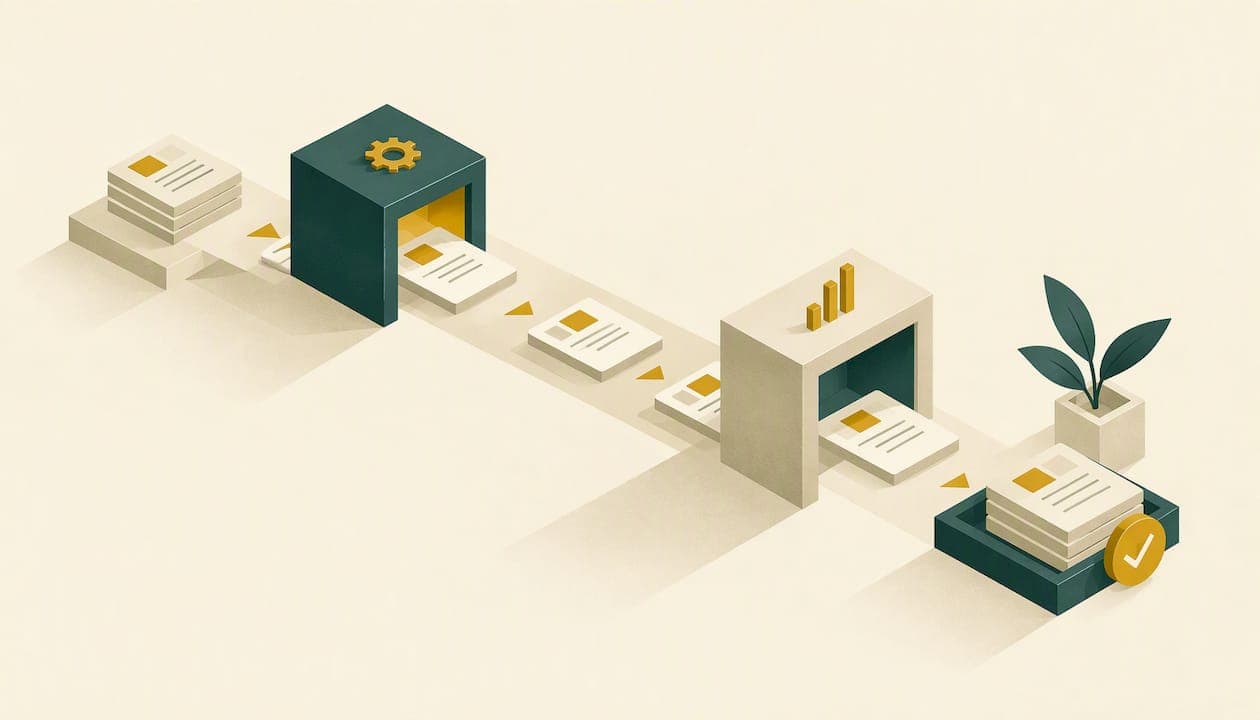
CRM automation for an advisory firm means letting the CRM trigger tasks, emails, reminders and record updates when something happens, such as a new inquiry, a signed agreement or a review date. Done well, it removes the manual follow-up that slips when the calendar fills up. Done badly, it sends the wrong message faster. This guide covers what to automate first, how to design and test each workflow, how to connect it to email and calendars, and what U.S. recordkeeping rules mean for automated client communication.
TL;DR
- Start with three workflow families: prospect follow-up, client onboarding and ongoing service. Pilot one at a time.
- Design the process on paper first. Build it in the CRM only after the sequence and timing hold up.
- Automated messages are still client communications. SEC-registered advisers need them retained and reviewable under Rule 204-2.
- Treat automations as an operating system: logs, failure alerts, test runs and periodic audits, not set and forget.
- Keep a human at the points that need judgment: first meetings, suitability conversations, anything sensitive.
Table of Contents
- What workflow automation in a CRM actually is
- Which workflows to automate first
- A simple way to choose what to build
- How to design and test a workflow before you build it
- Connecting the CRM to email, calendar and the rest of the stack
- Compliance: automated messages are still communications
- Monitoring automations so tasks do not get missed
- Perspective: automate the routine, protect the relationship
- Where marketing automation fits with CRM automation
- A 90-day starting plan
- FAQ
- Sources
What workflow automation in a CRM actually is
Workflow automation turns a CRM from a database into a system that acts. The pattern is simple: a trigger starts the process, rules decide what happens, and the system performs an action. In an advisory firm, the trigger might be a web form submission, a stage change on a prospect, or the date a client turns 73. The action might be a task for your associate, a templated email, a calendar invite or a field update.
Three parts matter in practice:
- Trigger. An event or date that is reliably captured in the CRM. If the data is unreliable, the automation is unreliable.
- Conditions. Who this applies to: household segment, service tier, lead source.
- Action. What happens, who owns it and by when.
A CRM without conditions sends everyone the same thing. Advisory practices rarely want that, because a $2 million retiree and a 35-year-old accumulator need different conversations.
Which workflows to automate first
The highest-return candidates share two traits: they repeat often and they fail quietly when handled by memory. Here is how they break down across the client lifecycle.
Prospect follow-up
Prospects in financial services have long buying cycles. Most do not hire at the first meeting, and many inquiries come from a seminar, webinar or referral that you cannot follow up personally within hours. Useful automations include:
- A new-inquiry task assigned to a named person with a same-day response target.
- A confirmation email after a form submission or event registration.
- A drip sequence after a webinar or seminar: a thank-you, the recording, a short educational piece, then a prompt to book a call.
- A stale-lead reminder when a prospect has had no activity for a set number of days.
- A stage-change trigger: when the prospect becomes a client, the follow-up sequence stops and the onboarding workflow begins.
That last item matters more than it looks. Prospects who are already clients and still receive "are you ready to talk?" emails are a common, avoidable embarrassment.
Client onboarding
Onboarding is the most checklist-friendly stage of the relationship. A typical automated onboarding workflow creates a task list when the agreement is signed: send the welcome packet, request account-opening documents, schedule the data-gathering meeting, confirm custodian paperwork, and set the first review date. We cover the full sequence in our workflow guide to onboarding new advisory clients and in the client onboarding checklist for financial advisors. If you want to see how much of it can move from weeks to days while keeping a person in the loop, read our piece on advisor onboarding automation.

Ongoing service
This is where automation supports retention. Examples:
- Recurring review scheduling based on each client's service tier.
- Birthday, anniversary and life-event touchpoints that create a task for a personal note rather than sending a generic card.
- Annual reminders tied to the calendar: required minimum distributions, beneficiary reviews, insurance renewals.
- Service-request routing so that a client email about a wire or address change becomes a task with an owner.
Kitces research on service models makes the underlying point well: define client segments, services, frequency and delivery format, standardize each service module, then integrate it into automated workflows connected to the CRM and planning or reporting software. The automation follows the service model. It cannot replace one.
A simple way to choose what to build
Score each candidate workflow on four questions.
| Question | Why it matters |
|---|---|
| How often does it run? | Weekly tasks repay the build time quickly. Annual tasks may not. |
| What happens when it is missed? | A missed inquiry costs a lead. A missed review date costs trust. |
| Is the data already in the CRM? | Triggers that rely on fields nobody fills in will not fire. |
| Does it need judgment? | If yes, automate the reminder and prep, not the decision. |
Anything that runs often, hurts when missed and relies on clean data is a first-wave candidate. Our six CRM automations to pilot in 90 days applies this filter and gives a rollout order.
How to design and test a workflow before you build it
The most common mistake is opening the CRM's workflow builder first. Teresa Riccobuono, writing for Kitces, recommends documenting and testing the process outside the CRM first, on paper, a whiteboard or a document, before building it. Her reasoning holds up: correcting sequence and timing on paper is far cheaper than after the automation exists.
A practical build sequence:
- Map the manual process. Write each step, who does it and how long it takes. Include the awkward exceptions.
- Remove steps that add nothing. Do not automate a step you would drop if you were designing from scratch.
- Mark the human checkpoints. Where does someone need to read, decide or approve?
- Define triggers and fields. List exactly which CRM field or date starts each step, and who is responsible for keeping it current.
- Write the messages. Draft every automated email in plain language and have your compliance lead review them before they are loaded.
- Build it with a test record. Use an internal contact and run the full path, including the exit conditions.
- Pilot with a small group. One advisor, one segment, or new prospects only, for a fixed period.
- Review and expand. Fix what broke, then add the next workflow.
A 90-day pilot works well because it spans enough client activity to expose edge cases. Our advisor automation workflows guide lays out that pilot with compliance checks built in.
Connecting the CRM to email, calendar and the rest of the stack
Automation is only as useful as the systems it can see. Most firms need four connections.
- Email. Two-way sync so client correspondence is logged on the contact record, plus a sending tool for sequences. Make sure bulk and automated emails also land in your archive.
- Calendar. Booking links that create the meeting, update the pipeline stage and trigger a prep task.
- Planning and portfolio-reporting software. So that household data, account changes and review dates flow into the CRM instead of being retyped.
- Forms and e-signature. So a signed agreement can start the onboarding workflow without anyone clicking a button.
Where a direct integration does not exist, many firms use middleware. One Kitces case study of a firm that streamlined lead management with Zapier makes a point worth keeping in mind: review failure notifications and run logs to find the failed step, fix it and test repeatedly. Every extra connection is one more thing that can break silently.
Integration also helps compliance. Inveo argues that integrating archiving with the CRM makes compliance a byproduct of normal work rather than a separate manual burden. That is a vendor's view, but the logic is sound: a message that is logged where the work happens is easier to retain and review.
Compliance: automated messages are still communications
An automated email to a client or prospect is a written communication from your firm. Treat it that way from day one.
Recordkeeping. For SEC-registered advisers, Rule 204-2 generally requires true, accurate and current books and records, including relevant written communications, preserved for at least five years, with the first two years in an appropriate office. Advisers registered with a state should check their state securities regulator's rules, which can differ.
Supervision. RIAs also carry a general supervisory obligation under Rule 206(4)-7. Broker-dealers face separate retention periods under SEC Rule 17a-4 and a supervisory system requirement under FINRA Rule 3110. If your firm is dually registered, both frameworks apply. Confirm the details with your chief compliance officer or outside counsel, because the right setup depends on your registration.
Policies and review. Firms should set policies on acceptable client communication channels and archiving, and regularly review a sample of communications for potential noncompliance. Apply that to automated sequences too. Pull a sample of what the CRM actually sent, not just the templates you approved.
Practical controls for automated outreach:
- Compliance approves every template, and the CRM stores the approved version with its date.
- Sequences use only approved channels. If text messages are not archived, do not automate texts.
- Marketing messages include the required disclosures and a working unsubscribe.
- No performance claims or testimonials in automated content unless compliance has cleared them for your firm.
- A named person owns each workflow and signs off on changes.
For pre-send checks aimed at RIAs, see our guide to audit-ready advisor email compliance.
Monitoring automations so tasks do not get missed
An automation that stops firing is worse than no automation, because everyone assumes it is working. Matthew Benson's Kitces case study frames it as an operational system needing logs, repeated testing, monitoring and periodic audits rather than a set-and-forget shortcut.
A monthly routine that takes under an hour:
- Check failure notifications and run logs for errors.
- Open five random records and confirm the expected tasks and emails exist.
- Compare inquiry counts to first-response times. Slow responses often reveal a broken trigger.
- Review unsubscribes, bounces and replies to automated messages.
- Record any change to a workflow, who made it and why.
Quarterly, rerun your test record through each workflow. Staff turnover, new custodians and CRM updates all change behavior without announcement.
Perspective: automate the routine, protect the relationship
We built our marketing systems as practicing advisors who have grown real advisory practices, so we have seen both sides of this. The temptation with CRM automation is to chase volume: more emails, more sequences, more triggers. We think that gets it backward.

The best use of automation is protecting the moments that matter. When a prospect leaves a seminar interested, the follow-up should arrive while the conversation is fresh, and the first call should be booked by a person who knows the context. When a client signs, the onboarding steps should never depend on anyone's memory. In both cases automation does the repeatable work and frees the advisor for the human work.
We also push back on automating before the firm knows what it sells. If your service tiers are fuzzy and your client segments undefined, automation will faithfully scale the fuzziness. Define the model first, then let the CRM carry it. And for regulated communication, we prefer slower and approved over faster and exposed. Wasted effort on messages that create compliance headaches is the real cost, not the hour spent on review.
— Josh
Where marketing automation fits with CRM automation
CRM automation covers how you handle people once they are in your system. Marketing automation covers how they get there and stay interested: webinar and seminar follow-up, email drip campaigns, content delivery and scheduled social posts. The two should share data so that a prospect who attends a seminar, opens three emails and books a call is visible as one story. Our overview of why advisors need marketing automation explains the case, and our email campaign setup guide walks through building the sequences.
If you would rather not assemble this yourself, that is what we do. Mastermind Advisor Marketing provides a turnkey system for independent advisors: customized webinars, fully produced seminars, a compliance-friendly content library, email drip campaigns, scheduled social content, advisor websites, and integration with custom CRM and email automation tools. See our services or reach out through our main site to talk about a growth strategy for your practice.
A 90-day starting plan
Days 1 to 30: design. Define segments and service tiers. Map prospect follow-up and onboarding on paper. Draft messages and get compliance approval. Clean the CRM fields the triggers depend on.
Days 31 to 60: pilot. Build the prospect follow-up workflow and test it with internal records. Release it to new leads only. Review logs weekly.
Days 61 to 90: extend. Add onboarding automation once follow-up runs cleanly. Run your first audit of sent messages against the approved templates. Decide what ongoing-service workflow comes next.
Resist adding more than one new workflow at a time. If something breaks, you want to know which change caused it.
FAQ
What is workflow automation in CRM?
It is a set of rules that lets the CRM act on its own when a trigger occurs, such as a form submission or a date. Triggers, rules and actions are the three building blocks. For an advisor, that usually means creating tasks, sending approved emails and updating records.
Do automated client emails have to be archived?
For SEC-registered investment advisers, relevant written communications fall under the books and records requirements of Rule 204-2, which includes a five-year retention period. Automated emails are written communications, so they should be captured in your archive. Confirm your setup with your compliance officer, especially if you are state-registered or dually registered.
Which workflow should an advisor automate first?
Prospect follow-up is usually the best start, because slow responses lose leads and the process is easy to define. Onboarding comes next since it is repeatable and checklist-driven. Leave judgment-heavy planning conversations to people.
How do I know an automation is still working?
Check failure notifications and run logs, spot-check records monthly and rerun a test record each quarter. Sudden drops in task creation or response speed are the usual early signs of a broken trigger.
Sources
- CRM Workflow Automation 101
- How A Client Service System Personalizes Advice Efficiently (Kitces)
- How To Create Good Financial Advisor Workflows and Processes (Kitces)
- Streamlining Lead Management Process With Zapier Automation (Kitces)
- Financial Services Communication Compliance (Inveo)
- Email and communications review for firms (COMPLY)