
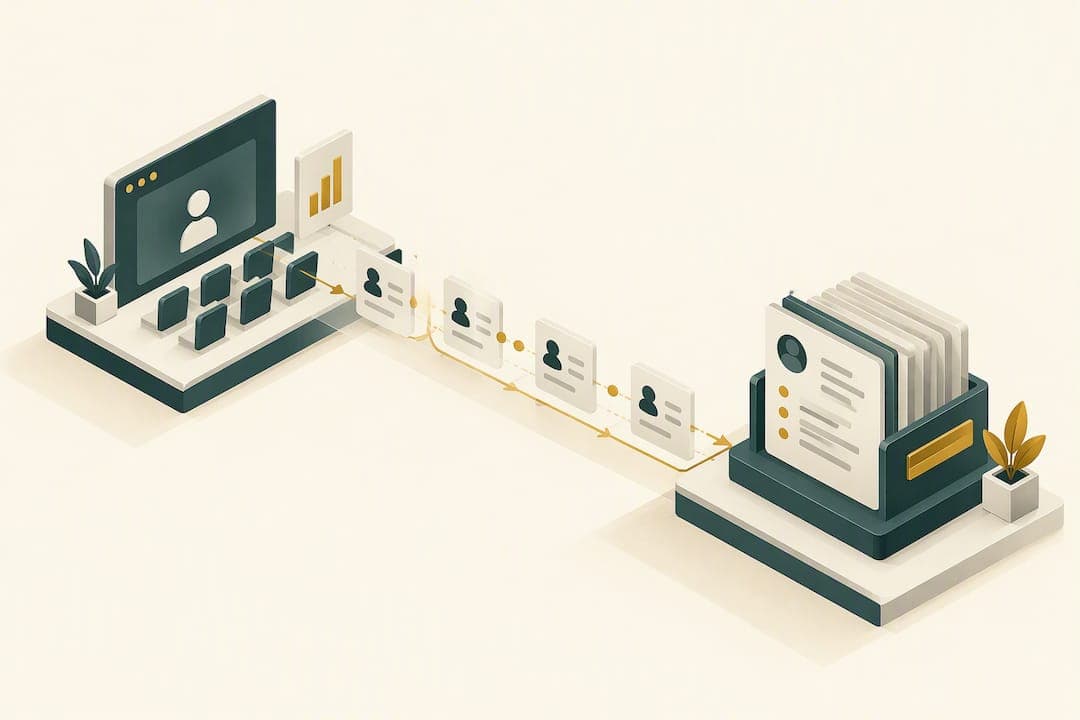
Most independent advisory teams should start with a native connector or a managed integration layered onto existing CRM workflows rather than building custom API connections from scratch. This path gets attendee data flowing automatically, lets you segment leads by engagement level, and gets hot prospects to a human follow-up call faster. For most advisors, reliability and compliance matter more than flexibility, and native or managed connectors deliver both without a developer on staff.
TL;DR:
- Sync registrant names, emails, attendance timestamps, viewing duration, and engagement signals to a dedicated marketing event record; change lead status only after an attendance threshold.
- Match contacts by email and unique event ID before creating records, then schedule deduplication checks and assign an owner to audit merges.
- Send attendees a recording and scheduling link, but give no shows a replay and shorter nurture sequence; contact highly engaged attendees within 24 hours.
- Reconcile registrant and CRM counts regularly, alert on low sync volume, and check platform records, middleware logs, then CRM history when gaps appear.
- Record which approved content version each segment receives, and retain webinar follow up communications under the firm’s usual recordkeeping practices.
Table of Contents
- Why integrating webinar platforms with your CRM matters for advisors
- Integration options: native connectors, middleware, and API/webhooks: choose by scale and skills
- What webinar data to sync and how to map it into CRM objects and lead stages
- Automating follow-up workflows for webinars
- Data hygiene, deduplication, and governance for webinar-driven records
- Monitoring, troubleshooting, and maintaining integrations
- Advisor-marketing perspective: the case for a managed, compliance-aware connector
- How Mastermind Advisor Marketing supports webinar-to-CRM integrations
- FAQ
- Sources
Why integrating webinar platforms with your CRM matters for advisors
Manual CSV uploads after a webinar are slow, error-prone, and easy to postpone when the calendar gets busy. A list left waiting to be synced can lose a warm prospect’s attention. Automated syncing of registration, attendance, and engagement data removes that bottleneck entirely, and major platforms including Zoom, Cvent, and ON24 now support it natively with primary CRMs and marketing automation tools.
Once that data lands in your CRM automatically, it can support several priorities advisors care about:
- Lead routing: hot prospects reach an advisor or team member promptly.
- Engagement scoring: attendees who stayed for the full presentation or asked questions get treated differently than no-shows.
- Tailored nurture: content and cadence match what each prospect actually showed interest in.
For regulated communications, keep a simple operational habit: log which compliance-approved content version went to which segment, so your recordkeeping holds up if a regulator ever asks.
Integration options: native connectors, middleware, and API/webhooks: choose by scale and skills
The right integration method depends on your team's size, technical comfort, and how much custom logic you need. Several options can suit an advisory practice.
- Native connectors are the fastest to deploy and usually map straight to marketing event objects inside your CRM. Cvent's own support documentation walks through activating existing integrations with Webhooks, Eloqua, HubSpot, Marketo, and Salesforce, and HubSpot's Zoom integration similarly lets you sync registrants and attendees directly into marketing events and contact timelines. These suit teams that want low maintenance and don't need unusual field mappings.
- Middleware like Zapier or Make sits between your webinar tool and CRM when no native connector exists, or when you need conditional logic a native integration won't support. This fits mid-tier teams without in-house developers who still want some customization.
- API and webhook integrations fit technical teams that need custom fields, advanced lead scoring, or account-level data that standard connectors don't expose.
Each option carries different maintenance and monitoring needs, and each should respect the same compliance controls: access limits on who can view registrant data and a clear record of what synced when.
Pro Tip: Start with the native connector your webinar platform already offers before evaluating middleware, since most advisor needs don't require anything more complex.
What webinar data to sync and how to map it into CRM objects and lead stages
Getting the field mapping right the first time saves hours of cleanup later. Most major webinar platforms support syncing the same core set of fields, so start there before adding anything custom.
- Registrant details: name, email, and registration status.
- Attendance data: join and leave timestamps, and viewing percentage or total duration.
- Engagement signals: poll responses, Q&A submissions, and resource downloads, all commonly synced by leading platforms.
Convert engagement signals into simple score buckets (high, medium, low) rather than raw numbers. That makes segmentation and sales handoff far easier for anyone scanning a contact record. On the mapping side, route webinar activity into a dedicated marketing event or activity object rather than overwriting core contact fields, and set explicit rules for when a contact's lead status should change, such as moving from "registered" to "marketing qualified" only after a minimum attendance duration.
Finally, assign a consistent naming convention and a unique event ID to every webinar before it goes live. That ID becomes your deduplication anchor later, and it prevents two webinars with similar titles from blending into one messy record.
Automating follow-up workflows for webinars
Synced data only pays off when it triggers timely action. Build distinct workflows based on behavior.
- Attendees get an immediate thank-you with a recording link and a scheduling link for a follow-up call. Registrants who didn't attend get a replay offer and a shorter, lower-pressure nurture sequence. High-engagement attendees (those who asked questions, stayed to the end, or downloaded a resource) get flagged for prompt outreach from an advisor, not just a marketing email.
Space nurture emails by engagement tier: high-engagement contacts might hear from a human within 24 hours, while general attendees move into a two to three week email sequence. Our post-webinar nurture blueprint lays out a practical version of this timing.
Sales notifications should include the registrant's attendance duration, any questions asked, and their engagement score, not just a name and email. Set a prompt SLA for following up with high-engagement leads. On measurement, track registrant-to-meeting conversion as your core funnel metric; warm webinar traffic converts to registration at meaningfully higher rates than cold outreach, which is one reason the channel rewards fast follow-up.

Data hygiene, deduplication, and governance for webinar-driven records
Webinar volume adds up fast, and sloppy records compound just as fast. Adobe's Marketo guidance is direct on this point: standardized naming, lead-status mapping, and deduplication are not optional extras, they're what keeps CRM data usable as event volume scales.
- Standardize event names and registration source fields before the first sync runs, not after.
- Match on email plus external event ID first, and only create a new contact record when no match exists.
- Run scheduled deduplication passes, keep an audit log of merges, and name one person who owns the integration.
For client-facing communications tied to webinar follow-up, retain records in line with your usual compliance recordkeeping practices.
Pro Tip: Review your naming conventions regularly as webinar volume grows, since a scheme that works for a small number of events may break down as volume increases.
Monitoring, troubleshooting, and maintaining integrations
Integrations fail quietly far more often than they fail loudly, which is what makes them dangerous. API tokens expire, permissions change, and sync failures often go unnoticed until someone notices a gap in the pipeline.
- Build a regular reconciliation check comparing webinar platform registrant counts against CRM record counts.
- Set alerts for any sync job that drops below its expected record volume.
- When a gap appears, check the webinar platform first, then middleware logs, then the CRM's own activity history, to isolate where the break happened.
- Escalate to vendor support or a technical partner if the issue persists after re-syncing.
A marketing automation checklist built for growing teams, like this step-by-step automation guide, can help formalize these routines if you don't already have one documented.
Advisor-marketing perspective: the case for a managed, compliance-aware connector
Most advisors don't need the most flexible integration. They need the one that keeps working without someone babysitting it. A managed setup enforces consistent naming, field mapping, and nurture logic from day one, which matters more in financial services than in most industries because a sloppy sync here can mean a compliance gap, not just a messy spreadsheet.
The advisors who get the most out of webinar programs tend to be the ones who stop treating integration as a one-time project and start treating it as ongoing maintenance with an owner. Done well, it shows up as faster follow-up, more booked meetings per webinar, and a CRM that stays clean instead of accumulating duplicate and half-filled contact records over time.
— Josh
How Mastermind Advisor Marketing supports webinar-to-CRM integrations
We build the webinar-to-CRM connection as part of a turnkey system, not as a separate technical project you have to manage. Our team sets up the webinar itself, maps the fields into your CRM, and configures the automated follow-up emails so attendee data can inform next steps without manual handoffs between departments.
This fits independent advisors and small advisory teams who want compliance-aware execution handled for them rather than another integration to maintain in-house. If you want to see how this works for your practice, visit our services page or request a growth strategy session to map out what an integrated webinar program would look like for your firm.
FAQ
What is the easiest way to connect a webinar platform to a CRM?
A native connector built into your webinar platform is usually the easiest route, since it requires no middleware setup and maps directly to standard CRM fields. Platforms like Zoom and Cvent support this out of the box with major CRMs, as shown in their own integration documentation.
Which webinar data fields should sync to the CRM?
The core fields are registrant name and email, registration status, attendance timestamps, and viewing duration, along with engagement signals like poll responses and resource downloads. These fields are commonly supported across major webinar platforms without custom development.
How do I prevent duplicate contact records from webinar syncs?
Match incoming registrants on email address plus a unique external event ID before creating a new record, and only create a fresh contact when no match is found. Adobe's Marketo guidance treats this kind of deduplication discipline as essential to keeping CRM data usable as webinar volume grows.
Why did my webinar-to-CRM sync suddenly stop working?
The most common cause is an expired API token or a changed permission setting, which can cause the sync to fail silently without an obvious error message. Scheduled reconciliation checks that compare registrant counts between your webinar platform and CRM, as recommended in platform monitoring guidance, catch these gaps before they affect follow-up.
How quickly should sales follow up with webinar attendees?
High-engagement attendees, those who asked questions or stayed for the full session, should get prompt outreach. Our follow-up templates support timely outreach without sacrificing personalization.
Sources
- Livestorm
- Engage
- Activating Your Existing Cvent Integrations with Webinar and Essentials
- Use HubSpot and Zoom webinars
- Support