
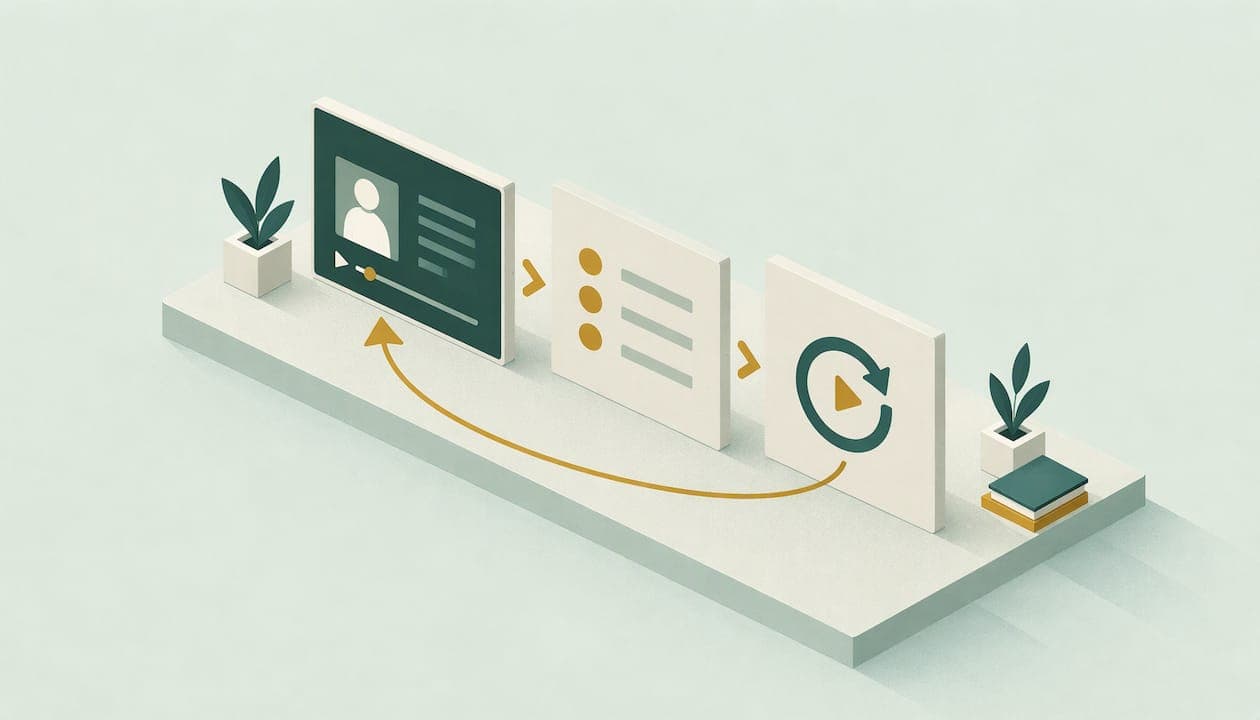
An evergreen webinar is a recorded presentation that prospects can watch whenever they choose, and for an independent advisor it is one of the few marketing assets that keeps working after you record it. You teach one useful topic, collect registrations, follow up with a short email sequence, and invite the right viewers to a conversation. This guide shows how to plan the topic, record it, automate it, measure it and keep it compliant.
TL;DR
- An evergreen webinar is recorded once and available on demand, so prospects watch on their schedule instead of yours.
- Treat it as an educational step toward an appointment, not a sales pitch. One narrow topic and one clear next step work best.
- Registration and viewing behavior should trigger your follow-up emails, so build the sequence before you publish the replay.
- Measure viewing time, resource clicks and booked calls, not just registrations.
- SEC marketing rule and FINRA recordkeeping obligations apply to the slides, the replay and the emails. Get compliance review before launch.
Table of Contents
- What an evergreen webinar is, and what it is not
- Why advisors use evergreen webinars
- Choose a topic that fits one audience
- Plan the structure of the recording
- Record it so it ages well
- Automate registration through follow-up
- What to look for in webinar software
- Measure what matters
- Keep it compliant
- Our perspective
- Let us build it with you
- FAQ
- Sources
What an evergreen webinar is, and what it is not
An evergreen webinar is a recorded webinar that stays available after its first broadcast. You will also hear it called on-demand or always-on. The audience gets educational content at their convenience, unlike a live event tied to one date and time.
Two neighbors are easy to confuse with it:
| Format | How it runs | Best use for an advisor |
|---|---|---|
| Live webinar | Presented at a set time, with real-time questions | Launching a new offer, answering client questions, building urgency |
| Automated (simulated live) | A recording plays on a set schedule so it feels live | Regular weekly or monthly sessions without presenting each time |
| Evergreen / on demand | The recording is available any time after registration | Always-open education that feeds your pipeline |
The distinction between automated sessions that play on a schedule and fully on-demand evergreen webinars matters when you choose software. Many advisors start with on-demand access because it is the simplest to run, then add scheduled sessions once the content proves itself.
One honest expectation: because there is no real-time interaction, an evergreen replay carries less urgency than a live event. That is why we use it for education at the top of the funnel and pair it with live seminars or one-to-one calls for the decision stage.
Why advisors use evergreen webinars
Financial advice is a long-buying-cycle purchase. A prospect rarely moves from a first impression to a signed agreement in one step. They want to see how you think, in private, before they talk to you. An on-demand webinar serves that need well.
- It answers the questions people are already asking. Retirement income, Social Security timing, a business sale, an inheritance or a job change are all topics that bring a prospect to a search box.
- It qualifies by behavior. Someone who registers, watches most of it and clicks your checklist is a very different lead from someone who registers and disappears.
- It saves your calendar. You present once, and the recording does the repeat work.
- It builds your content library. Slides become a guide, clips become social posts, and Q&A becomes emails.
The purpose is simple. A webinar is an educational step in a funnel whose goal is an appointment. If you plan backward from the appointment, most decisions become obvious.
If you want the wider picture of how webinars fit into lead generation, our guide to generating leads with financial webinars covers the live and recorded formats together.
Choose a topic that fits one audience
The most common mistake is a title that tries to speak to everyone. "Retirement planning basics" attracts nobody in particular. Pick one person at one decision point.
Topic ideas that suit an on-demand format
Choose topics that stay true for a year or more, since the recording will keep playing. Examples:
- Five decisions to make in the three years before you retire
- How to think about taking income from a portfolio, an IRA and Social Security together
- What happens to your equity compensation when you leave the company
- Preparing your family for an inheritance conversation
- Selling a business: what to do before you talk to a buyer
Avoid anything tied to this year's tax limits, market levels or a pending bill. Those belong in a live session or a dated blog post.
Write the promise in one sentence
Before you open your slides, finish this sentence: "After 30 minutes, a [specific person] will know [specific thing] and be able to [specific action]." If you cannot write it plainly, the topic is too wide.
Plan the structure of the recording
A workable length for most advisor audiences is 25 to 40 minutes, including a short close. We build them in five parts:
- The problem in the viewer's words (3 minutes). Describe the situation they are in, using a short anonymized scenario that you have cleared with compliance and that is not presented as a typical result.
- The framework (15 to 20 minutes). Teach three to five ideas with simple visuals. Give real substance. People can tell when a webinar withholds the useful part.
- A worked example (5 to 8 minutes). Use clearly labeled hypothetical numbers and state the assumptions.
- Who you are (2 minutes). Say whom you serve and how you work in two or three sentences, with the required disclosures on screen.
- One next step (2 minutes). Offer a single action, such as a no-pressure introductory call or a downloadable worksheet.
Keep the call to action singular. Offering a call, a guide, a newsletter and a podcast at the end splits attention and lowers the number of bookings.
Record it so it ages well
A few production habits keep the recording useful for a long time:
- Do not say "this week," "this month" or "this year." Say "right now" only for things that will not change.
- Leave out figures that expire, or show them on a slide that is easy to update and re-export.
- Use a clean headshot-quality camera view for the intro and slides for the rest. Audio quality matters more than video quality.
- Add chapter markers if your platform supports them, so viewers can skip to the part they need.
- Script the introduction and close, and speak the middle from bullet points so it sounds natural.
- Keep a master copy of the slides and the exact script, because you will need them for your records.
Set a review date on your calendar, such as every six months, to check that the recording is still accurate and the disclosures are current. Replace it when it is not.
Automate registration through follow-up
The automation is where an evergreen webinar earns its keep. Build it as a chain of triggers.
Step 1: The registration page
Ask for as little as you need: name, email and possibly one qualifying question, such as which stage best describes you. A short form converts better, and the qualifying question helps you segment later. Add a short consent line for email communication and link to your privacy policy.

Step 2: The instant confirmation
Send the access link immediately, along with a short note about what the viewer will learn. Include a plain-text link as well as a button.
Step 3: Viewing triggers
Your platform and email tool should record who watched, how much and what they clicked. Then branch:
- Watched most of it: invite them to the introductory call and send the worksheet.
- Watched a little: send a short email pointing to the section most relevant to their stage.
- Registered, did not watch: send a reminder and a one-paragraph summary of the main takeaway.
Step 4: The nurture sequence
People who do not book right away still need value, not pressure. We suggest a sequence over about two to three weeks with teaching emails: one idea per message, a link to a related guide and a single soft invitation. For the first 24 hours after a viewing, see our post-webinar nurture blueprint, and for ready-to-adapt wording, our webinar follow-up emails. If you want a structured test, a 90-day compliant nurture pilot gives you a defined window to measure.

The logic of using registration and attendance as the signal that triggers marketing follow-up is explained well in this piece on multi-channel funnels and automated content.
Step 5: Hand-off to a person
Every booked call should land in your CRM with the webinar topic, viewing behavior and the emails they opened. When you walk into the conversation knowing they watched the retirement income section twice, you can start on what matters to them.
What to look for in webinar software
You do not need an enterprise platform, but you do need a few specific capabilities. When you evaluate tools, check each of these against your actual workflow:
- On-demand and scheduled playback. You want to offer both fully on-demand access and scheduled sessions without re-recording.
- Engagement data. Look for viewing time, resource clicks and question activity. Tracking on-demand activity such as viewing time, resource clicks and Q&A interactions gives you the signal to segment.
- CRM and email integration. The viewing data has to reach your CRM and email tool automatically, or you will be exporting spreadsheets forever.
- Branding control. Your name, your colors and your disclosures should appear on the registration page and player.
- Archiving and export. You need to be able to keep a copy of the recording, the registration records and any chat or Q&A, which matters for compliance.
- Simple mobile viewing. Many prospects will watch on a phone.
Ask your compliance team or chief compliance officer about the archive question before you buy, not after.
Measure what matters
Registrations are a vanity number if nobody watches or books. Track a small set of metrics in order:
| Stage | Metric | What it tells you |
|---|---|---|
| Traffic | Registration page conversion | Whether the title and promise are clear |
| Attention | Percentage who start the replay | Whether the confirmation and reminder work |
| Engagement | Average viewing time and drop-off point | Which section holds or loses people |
| Interest | Resource clicks and questions | Who is a serious prospect |
| Action | Booked calls and held calls | Whether the next step is right |
| Value | Households that become clients | Whether the audience is the right one |
Read the drop-off chart as editing advice. If half the audience leaves at minute 12, rework minute 12. Review the numbers monthly for the first quarter, then quarterly.
Keep it compliant
For a registered investment adviser, a webinar that promotes your services is likely to be treated as marketing, and so are the emails and social posts around it. This section is a starting point, not legal advice. Your chief compliance officer or securities counsel should review your actual materials.
- The SEC marketing rule. Under the SEC's compliance guide to the investment adviser marketing rule, the rule covers testimonials, endorsements, third-party ratings and performance information. It also requires that advisers have a reasonable basis to believe they can substantiate material statements of fact if the Commission asks. So every claim on a slide needs support in your files.
- Performance and hypothetical examples. Show them only with the disclosures and review your firm's policy requires. When in doubt, use a teaching example with clearly labeled assumptions.
- FINRA recordkeeping. If you are associated with a broker-dealer, FINRA materials state that member firms must retain records of business communications for at least three years. Ask your firm how recordings, registration emails and follow-up messages are archived.
- Approval before publishing. Get the slides, script, emails and registration page approved before the recording goes live, and again whenever you change them.
For more depth, see our notes on what the SEC and FINRA expect from advisor webinars and the SEC versus FINRA advertising checklist.
Our perspective
Most advisors who try webinars quit after one live event. The room is thin, the preparation was heavy, and nothing happens afterward. We built our approach around the opposite idea: do the hard work once, then let a system carry it.
We are practicing advisors who have grown real advisory practices, so we know how long a prospect takes to trust you and how little patience a compliance review has for improvisation. That is why we pair a webinar with a nurture sequence, a content library and a CRM that records what each prospect did. A recording alone is not a strategy. The system around it is.
Our view is that an independent advisor should be the first name a prospect thinks of when the need arises. An evergreen webinar is one of the most dependable ways to earn that place, because it shows how you think before anyone asks for a meeting.
Josh
Let us build it with you
If you would rather not produce, automate and follow up on all of this yourself, we do it for independent advisors. Our turnkey system includes customized lead-generation webinars, fully produced seminars, a compliance-friendly content library, automated email follow-up, scheduled social content and advisor websites, connected to custom CRM and email tools.
See the full list on our services page, or start with a growth strategy conversation about where an evergreen webinar fits in your practice.
FAQ
How long should an evergreen webinar for financial advisors be?
Most work well between 25 and 40 minutes. That is long enough to teach a framework and a worked example, and short enough that a busy prospect finishes it. Use your drop-off data to adjust.
Do evergreen webinars convert as well as live ones?
Usually not on a per-viewer basis, since there is no real-time interaction or urgency. Their strength is volume and consistency: they keep educating prospects without your time. Many advisors use them to warm leads and then invite the best ones to a live seminar or a call.
Do I need compliance approval for a recorded webinar?
Yes, treat it like any other marketing. Slides, script, replay page and follow-up emails should be reviewed before launch, and the final versions archived. Your chief compliance officer will tell you what your firm and registration status require.
What should the call to action be?
One next step that matches the topic, most often a no-pressure introductory conversation or a short worksheet that leads to one. Keep it to a single option so viewers know exactly what to do.
Sources
- What is an Evergreen Webinar, ON24 Glossary
- Pre-Recorded Webinar Software and Platform, Zoho Webinar
- Webinar Marketing For Financial Advisors: What Fills The Pipeline, Not The Room, Forbes
- Investment Adviser Marketing: A Small Entity Compliance Guide, SEC
- Advertising Regulation Boot Camp, FINRA
- Multi-Channel Funnels Boost Sales 20-25% with AI Content